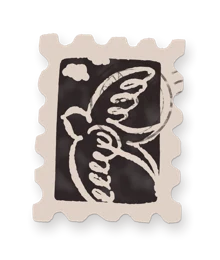














The Cosia app icon: a postage stamp in a dark envelope

Mail, in order.

A calm, fast mail app for the Mac. Cosia sorts your mail by meaning, so what matters is at the top and the rest waits quietly.

Download now

macOS 26 or later

Cosia on the Mac: the Must see stack, an open thread and a reply being written.
  • Gmail and Google Workspace
  • Outlook next
  • Native on macOS
  • Your mail stays on your Mac
A busy crosswalk seen from above, people blurred in motion, one person standing still in a burgundy coat.

The world is busy.
Your inbox doesn’t have to be.

Instant

Every action, one key. And ten seconds to change your mind.

  • Archive

    Press A and the thread leaves the list.

  • Undo

    Every action can be taken back for ten seconds.

  • Snooze

    Type a time the way you'd say it. It comes back then.

Sorted

Ordered by meaning. Must see first. The rest waits its turn.

Every thread lands in one of three stacks. Mail a person wrote to you comes first, receipts and updates one step down, newsletters folded until you want them. Spaces give work, home and each client their own view.

123Switch stacks

Cosia with spaces and stacks on the left and the Must see stack beside them. Cosia showing the FYI stack. Cosia showing the Low priority stack.

Considered

Write in your own tone. Nothing leaves until you say so.

Rewrite a draft or dictate a reply, and Cosia polishes it in the way you write. Speech becomes text on your Mac. The draft only goes out when you press send.

⌘JRewrite

The writing help in Cosia, showing a polished version of a reply and the words as spoken.

Calm

From a pile to a plan. In the time it takes to read this.

  1. An office desk buried under stacks of letters, folders and books.

    Before. One pile for everything, and the important letter somewhere in it.

  2. Hands sorting letters into three piles on a wooden desk, one envelope closed with a burgundy wax seal.

    Sorted. Three piles by meaning, and the one that matters on top.

  3. A woman spins in her office chair, smiling, eyes closed, hair moving.

    After. Done before lunch.

Planned

Mail becomes a plan. Today, with the thread one click away.

Press T on a thread and it becomes a to-do with a day, or a time for a meeting. The mail stays where it was. Today shows what is due, beside your mail, and ticking one off is a single key.

  • TMake it a to-do
  • DDone
  • WWhen
  • ⌘TGo to Today

Found

Search runs on your Mac across all your accounts, with operators like from: and has:attachment, and asks Gmail when an older mail isn't here yet.

/Search

Search results in Cosia for the word dinner, across all accounts.
A man in a burgundy jumper works on a laptop in an airport waiting area, an aluminium suitcase and a canvas bag beside him.

Mail for people who are somewhere else.

Cosia sorts your mail by meaning. On your Mac, wherever you are.

Private

Private by design. Your mail never touches our servers.

  • Stored on your Mac

    Your mail, its search index and your drafts live in a local database.

  • Tokens in the Keychain

    Your sign-in never sits in a file or on a server of ours.

  • No mail on our servers

    Cosia talks to Gmail directly. We run no mail server and keep no copy.

  • Remote images blocked

    Senders can't see when you open their mail, until you choose to load images.

  • Tracking taken out

    Known tracking is removed from links before they open.

  • Signed and notarized

    A Developer ID build, checked by Apple, updated with signed releases.

The one exception is the writing help, and only when you ask for it: the text passes through our relay to Anthropic, whose model writes the answer, and is not kept. What leaves your Mac

Everything that matters on top.
The rest can wait.

A quiet desk for your inbox.

Download now

macOS 26 or laterWhat’s new